Get Up and Running with Orion DriveSafe
Everything you need to install your ELD, train your team, and stay compliant.
.png?width=375&height=375&name=eld%20image%202%20(1).png)
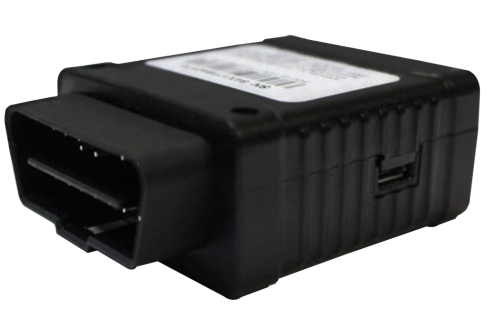
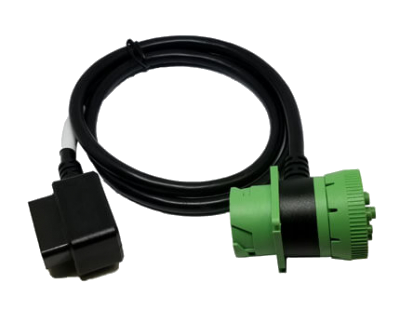
Step-by-Step Setup
Getting started with Orion DriveSafe is quick and simple. Follow the steps to install your hardware, connect the mobile app, and activate HOS tracking for your fleet.
Download the Orion DriveSafe mobile app to begin setup:
Install the Orion DriveSafe hardware in your vehicle’s diagnostic port (J1939 or OBD-II).
Download the Orion DriveSafe mobile app.
Create your fleet administrator account in the HOS Admin Portal.
Connect the mobile app to the vehicle hardware during the first ignition cycle.
Start driving with active HOS logging and real-time compliance.
Watch: How to Use the Orion DriveSafe App
This short walkthrough covers everything a driver needs to know — from logging in and pairing the device to managing duty status and staying compliant on the road.
For admin training, troubleshooting, and advanced features, visit our full video library.
Manuals & Guides
Need help getting started or installing your Orion DriveSafe hardware? Use the resources below for step-by-step guidance on setup, configuration, and usage.
These documents cover everything from hardware installation to full app functionality.
DriveSafe QuickStart Guide
6 steps to get up and running with your new ELD along with answers to frequently asked questions.
DriveSafe Quick Reference Guide
Full app guide covering login, DVIR, status changes, and log management.
Malfunction and Data Transfer Guide
Guide outlining malfunctions and how to do a data transfer to be kept in cab.
Paper Log Backup
In the event of ELD malfunction, please use the attached paper logs to document hours.
OBD Installation Guide
Quick setup for vehicles with OBD-II ports using plug-and-play hardware.
Heavy Duty Installation Guide
Installation steps for J1939/J1708 ports in heavy-duty trucks.
©2025 Orion Security LSP LLC. All rights reserved. Privacy Policy